Start with the good stuff.
Drop in your clips, photos, or screen recordings. Arrange scenes and trim the moments that matter.
FREE VIDEO EDITOR + SCREEN RECORDER.
Record your screen. Show how it works. Tell your story.
Edit clips, add a camera bubble, and put it all in motion.
Your recording studio, right in your browser.
Free local editing · Free account required · Optional paid online storage
 Real studio. Real creative freedom. View full size ↗
A LOOK AROUND
Browse your media, preview your edit, and arrange your story.
Open any screenshot for a closer look.
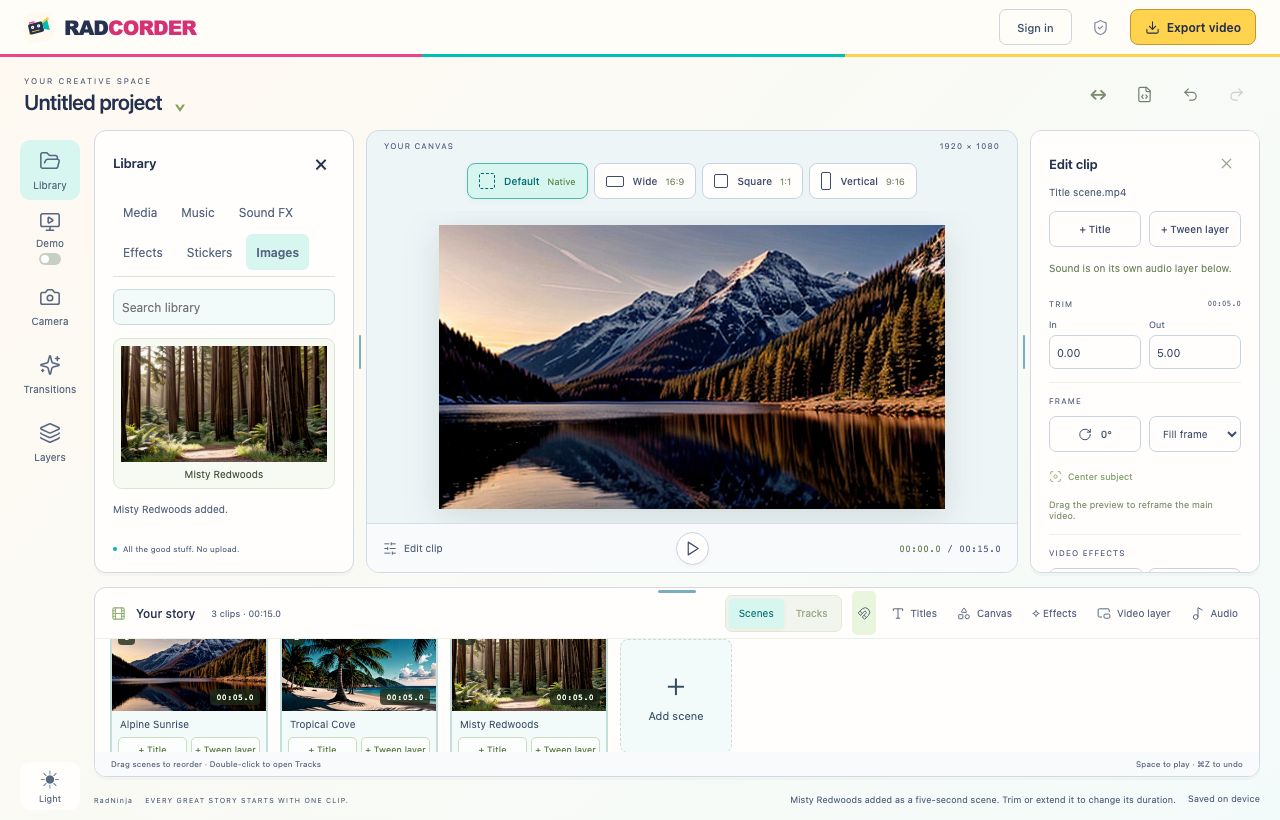 Scenes, preview, and media library Explore the workspace ↗
LESS FUSS. MORE FINISHED.
Drop in your clips, photos, or screen recordings. Arrange scenes and trim the moments that matter.
Drag, resize, and layer your titles and graphics. Add music, transitions, and a second angle.
Go wide, square, or vertical. Export your finished movie as an MP4 and share it your way.
INSIDE YOUR STUDIO
The tools to turn everyday footage into something worth sharing.
App screenshotEnlarge ↗Arrange clips in Scenes, or switch to Tracks for precise timing. Trim, split, reorder, and add a transition between moments.
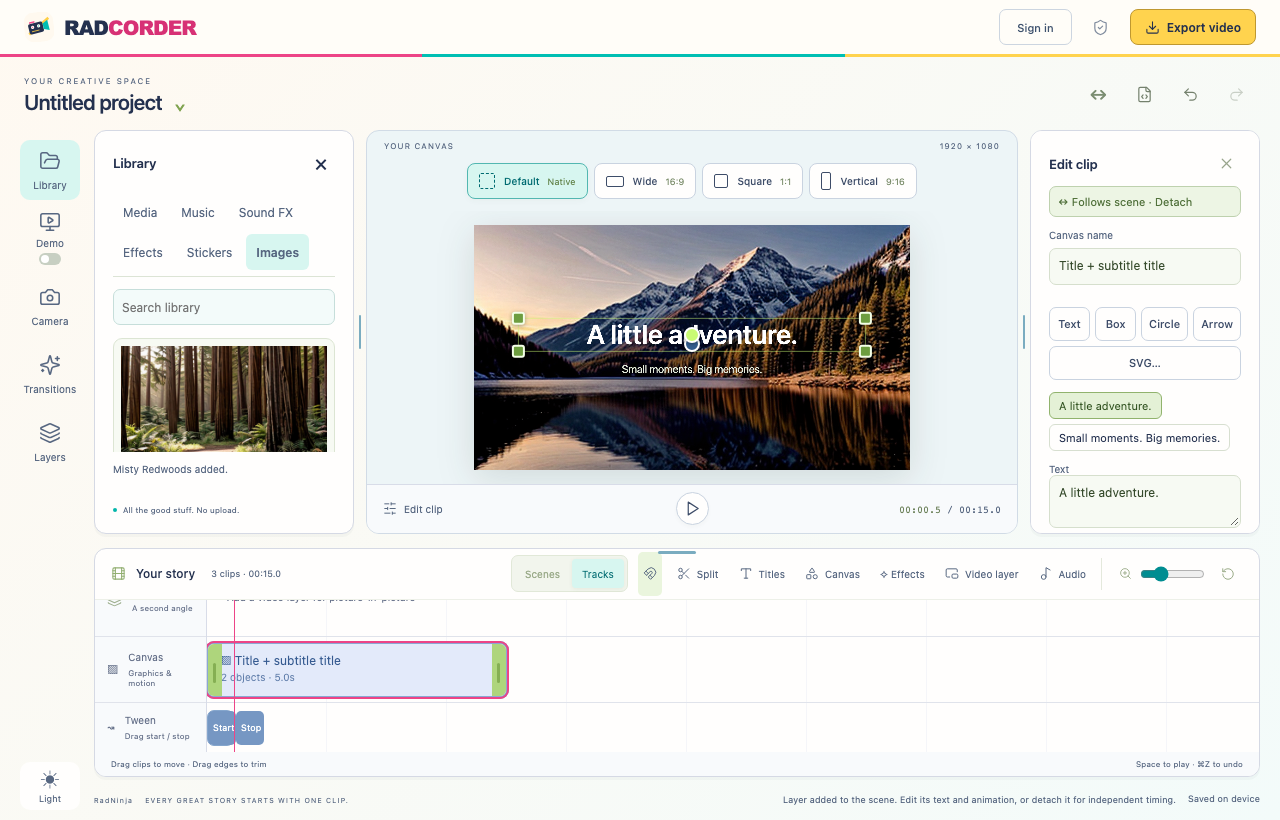
Scene cards · Timeline · Undo & redoApp screenshotEnlarge ↗Start with a title style, then edit the words. Add stickers, photos, and shapes. Drag and resize them on the canvas, then animate between Start and Stop poses.
Titles · Layers · Motion & effects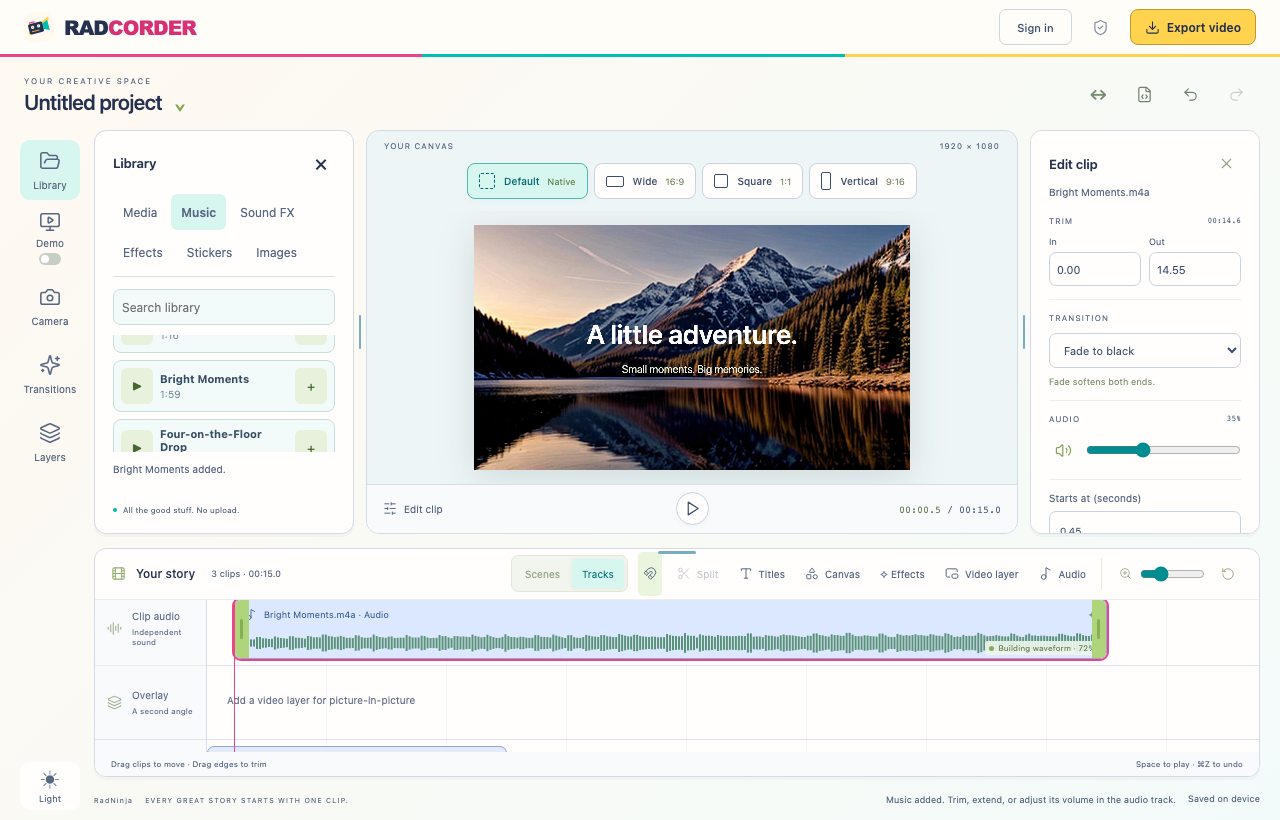 App screenshotEnlarge ↗
Keep your clip’s sound, bring in music or voice, and browse built-in music and sound effects. Layer, trim, mute, and adjust each sound.
Waveforms · Independent audio · Music library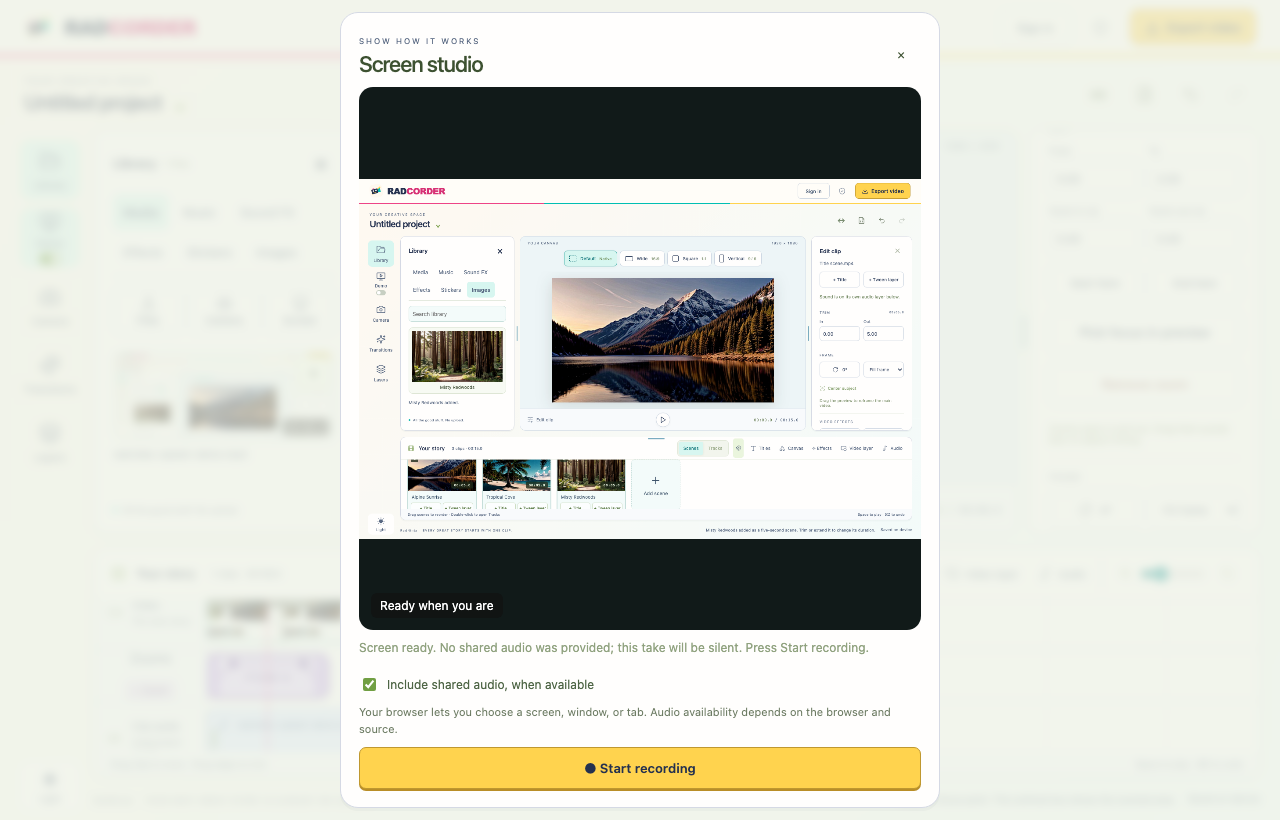 App screenshot · Sample screenEnlarge ↗
Capture a screen, window, or tab in supported browsers. Review your take, save it to your library, and bring it into your story.
Screen recording · Review & retake · Media library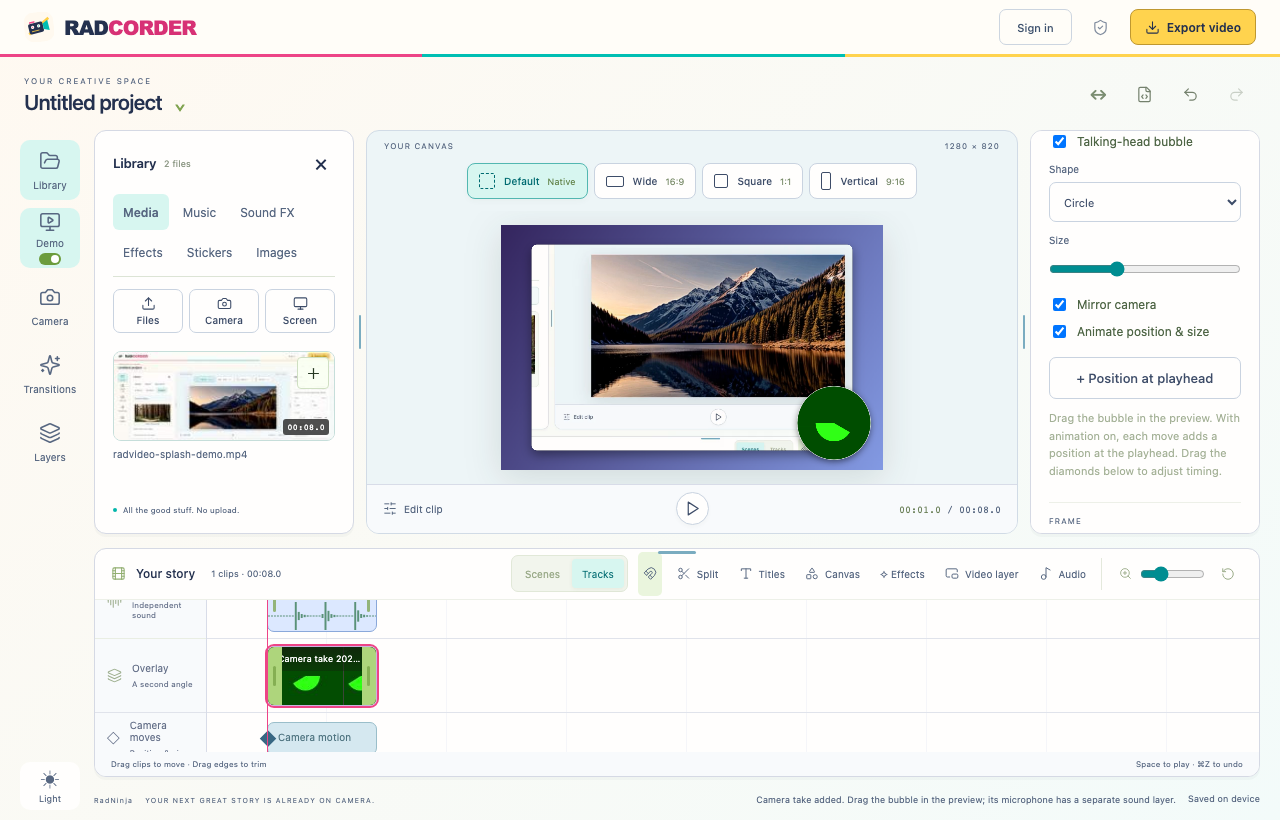 App screenshot · Sample camera inputEnlarge ↗
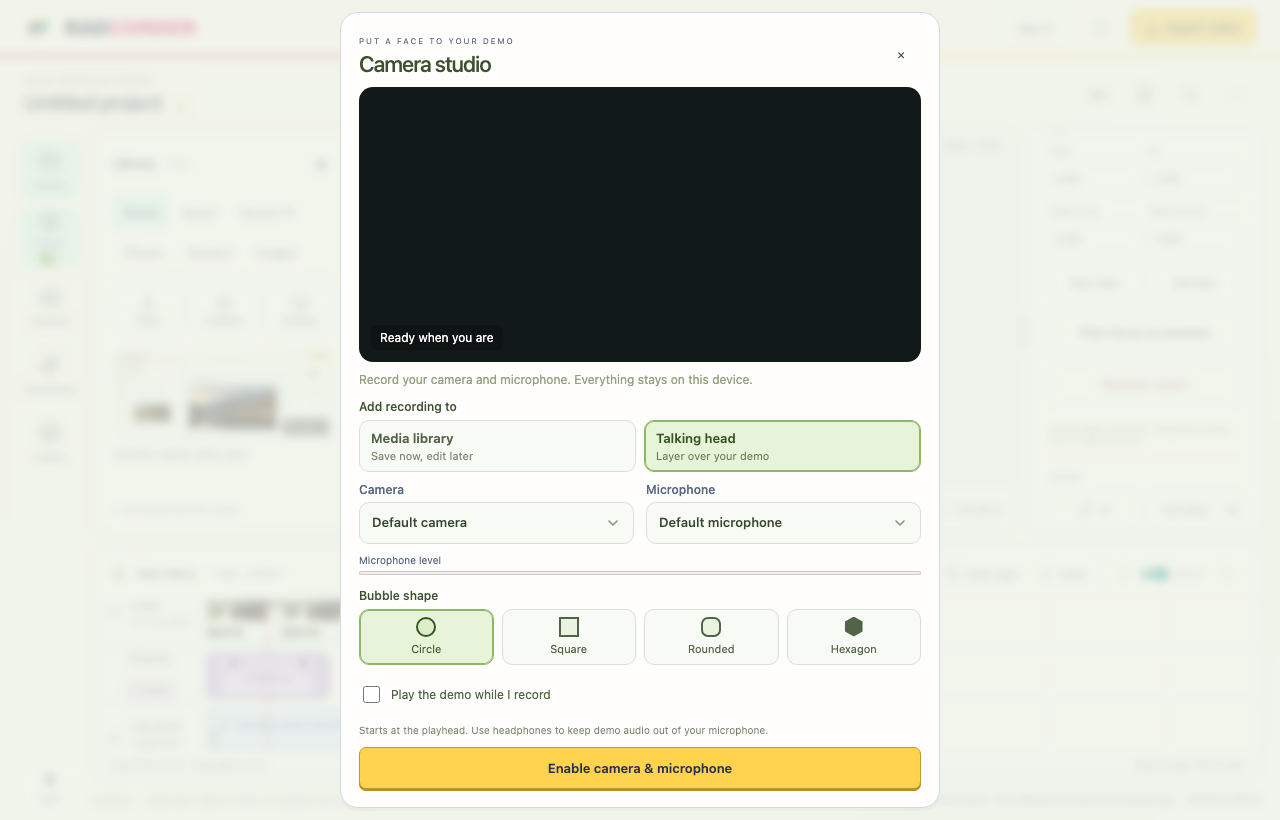
Record yourself explaining the demo. Choose a circle, square, or hexagon mask, then drag and resize your camera layer. Animate its position and size.
Camera + microphone · Masks · Bubble movementSee camera studio ↗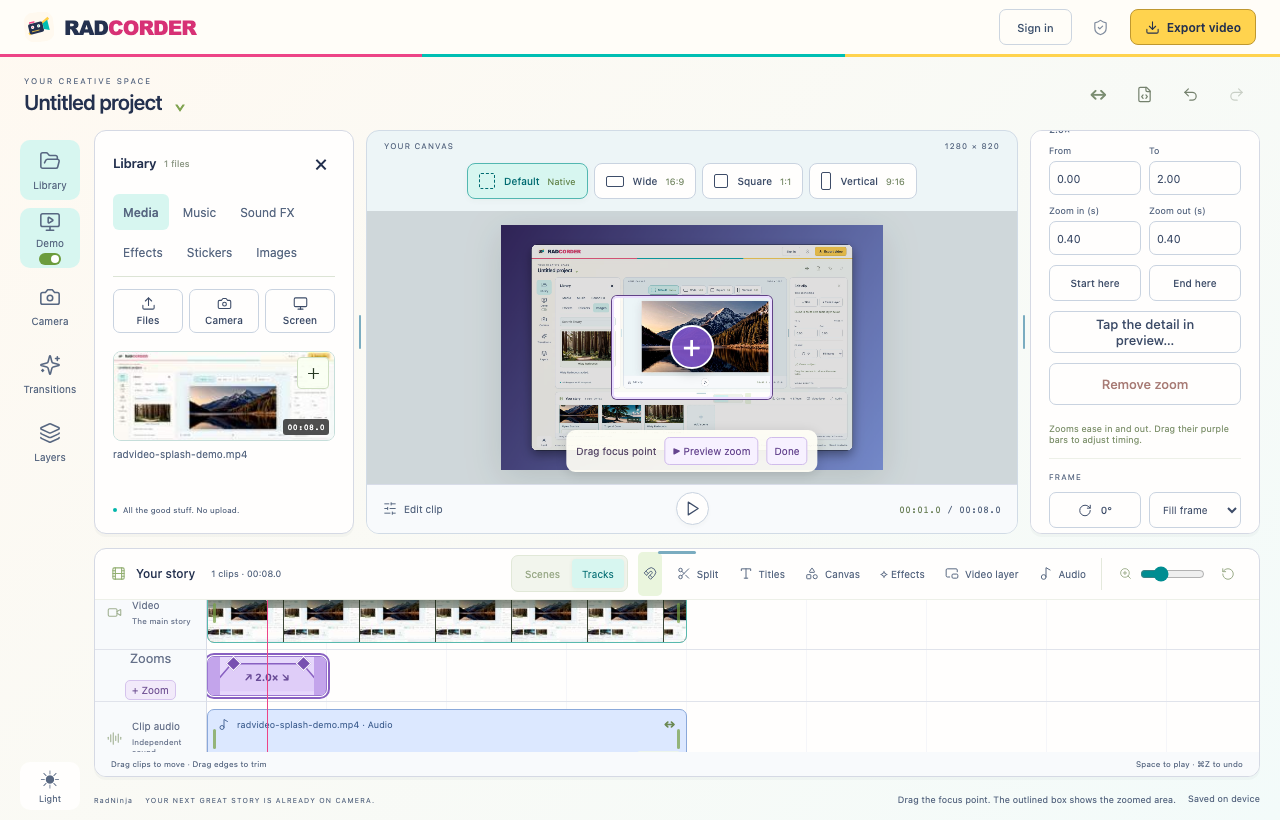 App screenshotEnlarge ↗
Pick a focus point and set a smooth zoom in, hold, and zoom out. Give screen recordings a gradient backdrop, rounded corners, padding, and a shadow.
Demo styling · Focus zooms · Separate in/out timingQuick social clips / Screen walkthroughs / Photo stories / Talking-head demos
KEEP IT SIMPLE
Free
Record, edit, and export on your device.
$5 USD / month
Your projects, ready on another device.
$20 USD / month
More room for your demos and stories.
Storage is measured in GiB (50 × 1,024³ bytes on Pro). Unlimited encoding has no monthly credit limit; videos can be up to 10 minutes and 2 GB each, with up to three jobs queued per account. Online saves are manual. Canceling stops renewal; paid saves continue through your paid period. Existing online projects remain available to download or delete afterward.
PRIVATE BY DESIGN
Editing and autosave happen on your device.
Optional online storage is there when you want it.